Quick Start
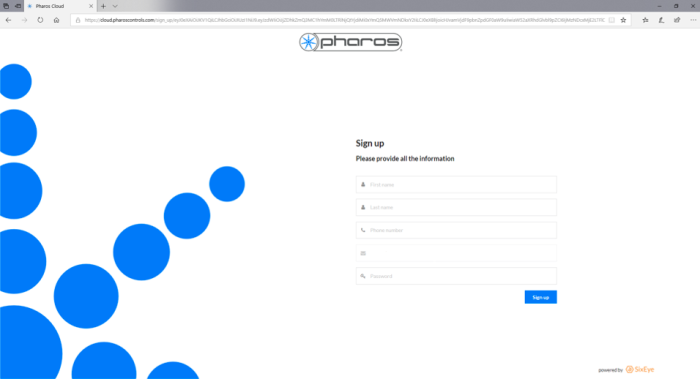
Once the Cloud Team has created your Site, you will receive an email invite with a link to Pharos Cloud. You will then be prompted to create a user account if you have not previously done so.
Sites Overview
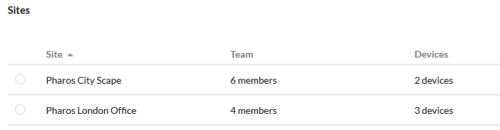
On Clicking 'My Sites' you will be shown a list of Sites that you are a member of. Clicking a Site name will take you to the Site’s overview page.
Adding Devices
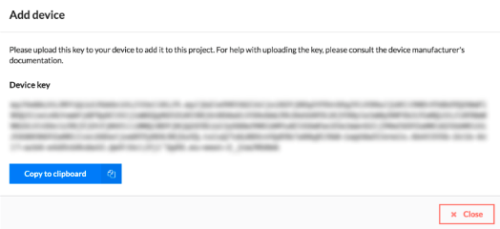
Click the 'Add Device' button in the Device tab of the Site. Give the controller a name and a key will be generated which will allow the controller to provision with Cloud. Click to copy this key.
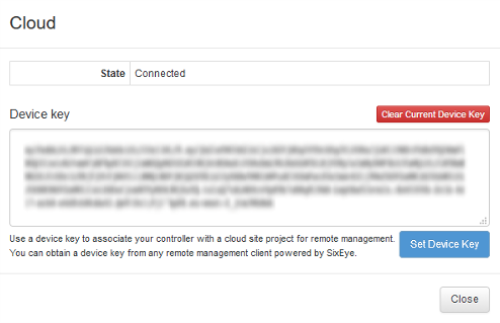
Visit the controllers built in web interface and locate the 'Cloud' section of the Home page and click to connect. Paste the key into the Device Key box and click to 'Set Device Key'.
After a short time the controller will connect to Cloud and appear in the Devices tab of the Site. Controllers can also be added to Cloud via Pharos Designer. Once the controller has connected you will be able to select it see the device interface.
The user who added the controller will be granted all but the 'set permission' permissions for that controller. Any other existing and new users will be granted the view permission for the controller.
Adding Users
To invite other users to the Site navigate to the Users tab and click to 'Add User'. Input the users' email address to invite them to the Site. The user will receive an email with a link to the Site which will also allow them to create a new user profile if they have yet to do so.
A new user will be granted basic view permissions to enable them to view certain aspects of a Site. Permissions can be adjust in the 'Permissions' tab on a per user, per Device basis.