Firmware#
Available onDesigner LPC FamilyDesigner VLC FamilyExpress
The firmware tab provides a library of compatible firmware for the current device, which can be transferred to the device without needing to upload firmware individually.
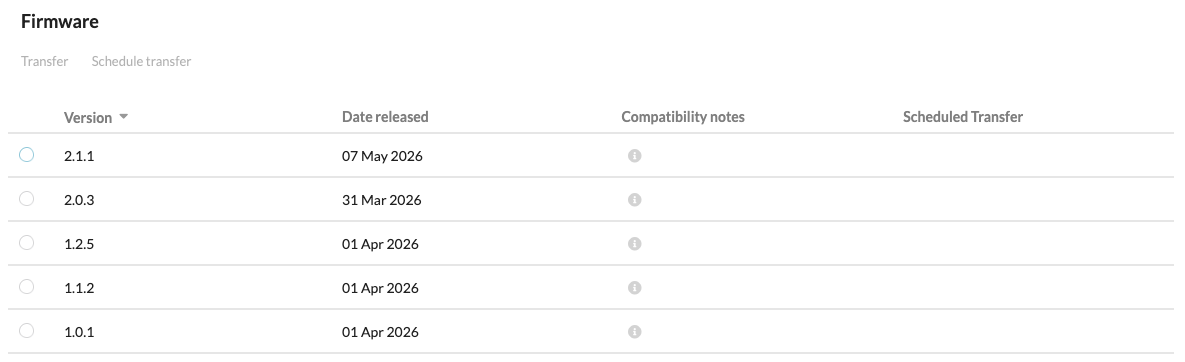
Transfer#
To transfer a firmware file to the device:
- Select the firmware file using the button on the left of the firmware file entry in the table
- Select Transfer in the toolbar
- Confirm the transfer
The firmware file will now be transferred to the device. Firmware file transfers are flexible and respond to poor internet connections by transferring firmware files in small sections. Check the controller's log for more information about the transfer.
Schedule Transfer#
To schedule a firmware file transfer to the device:
- Select the firmware file using the button on the left of the firmware file entry in the table
- Select Schedule Transfer in the toolbar
- Select a date and time for the transfer to take place using the site's local time
- Save Changes
- The firmware file will then display when the transfer is scheduled
To edit or delete a scheduled transfer, select it again and choose Schedule Transfer in the toolbar.
Note
Files may have compatibility notes applied to them, please read those notes before transferring those files to ensure compatibility.