Tags#
Available onExpressAcuity Brands
A device's tags can be viewed and overridden from this view.
Edit tags#
By default, live updates are always enabled, meaning the display here is showing exactly what the device is doing, and will update in real time as the tag-related information is adjusted.
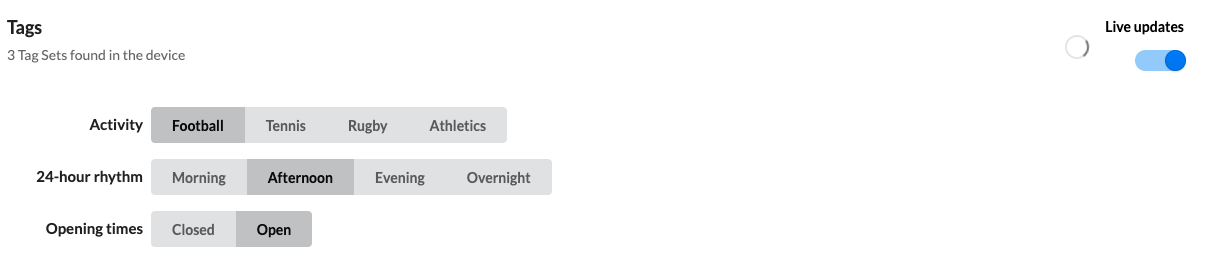
To change the active tag, select it in the tag set.
Multiple changes can be made at once. When all changes are ready, select to commit them to the device.
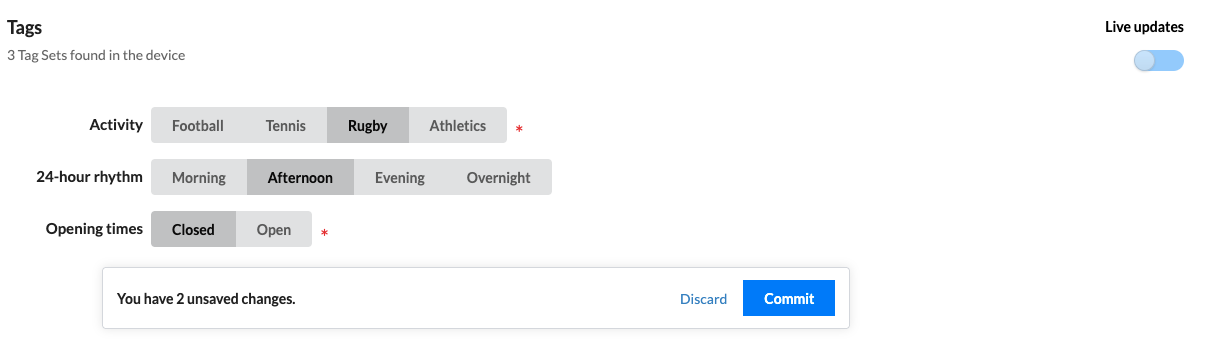
Edits are highlighted with bold text and an asterisk (*). Select Discard to drop all edits.
Toggle schedule#
Devices which support this tab can have their schedule temporarily disabled. This is useful if a manual override needs to last for longer than scheduled events would typically allow. Select the toggle to enable or disable this feature.
