Fixtures#
Fixture status across a site#
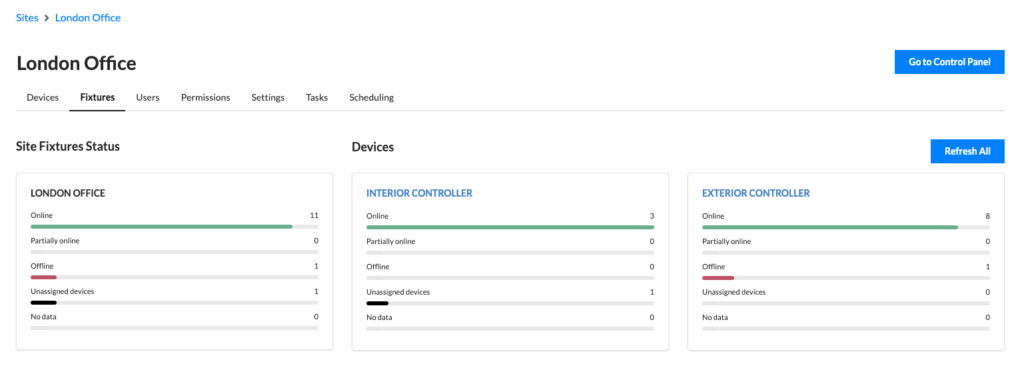
Open a site and select its Fixtures tab for an overview covering every controller in the site, with a summary per controller.
Users who have the correct permissions to see fixture information for any controller in the site will see those controllers in the summary. Refresh All starts a poll across all controllers the user can run polls from in the site. Selecting a controller takes you to its dedicated Fixtures tab where fixtures can be managed.
Prerequisites#
The controller runs a recent enough version. Fixture status needs Pharos Designer 2.16.3 or later on LPC family controllers, or Pharos Express 2.1.2 or later.
Your fixtures support RDM. Check the manufacturer's documentation. A fixture that doesn't support RDM can still exist in the project and will appear as a fixture in the Fixtures tab for controllers, but Cloud has no way to query it.
Your fixtures have RDM UIDs set in the project file. Fixtures added by RDM discovery get their UID automatically. Anything added by hand needs the UID entering in the fixture's properties. Without a UID, the device can't match a discovered responder to a fixture in your project. See the Pharos Designer or Pharos Express help for how to do this in your system.