Multi-sites#
The multi-sites feature lets you combine multiple stand-alone sites into a single place to override those sites.
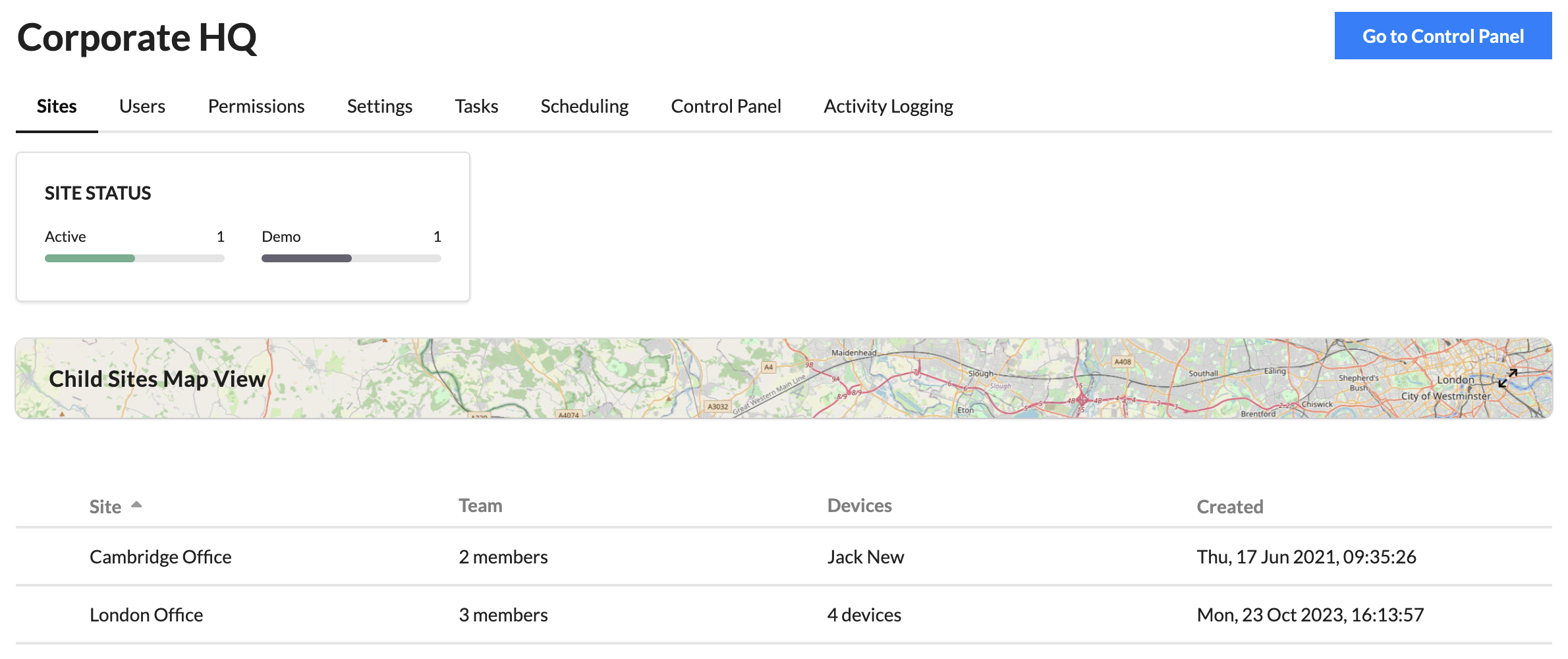
Multi-sites provide many of the same features as standard sites. For more information on how to use a particular tab, please consult the site section of the help.
Sites#
Sites can be viewed in this tab. Expand the map view to see the child sites on the map. This will show the location of a site as set in the site's Settings.
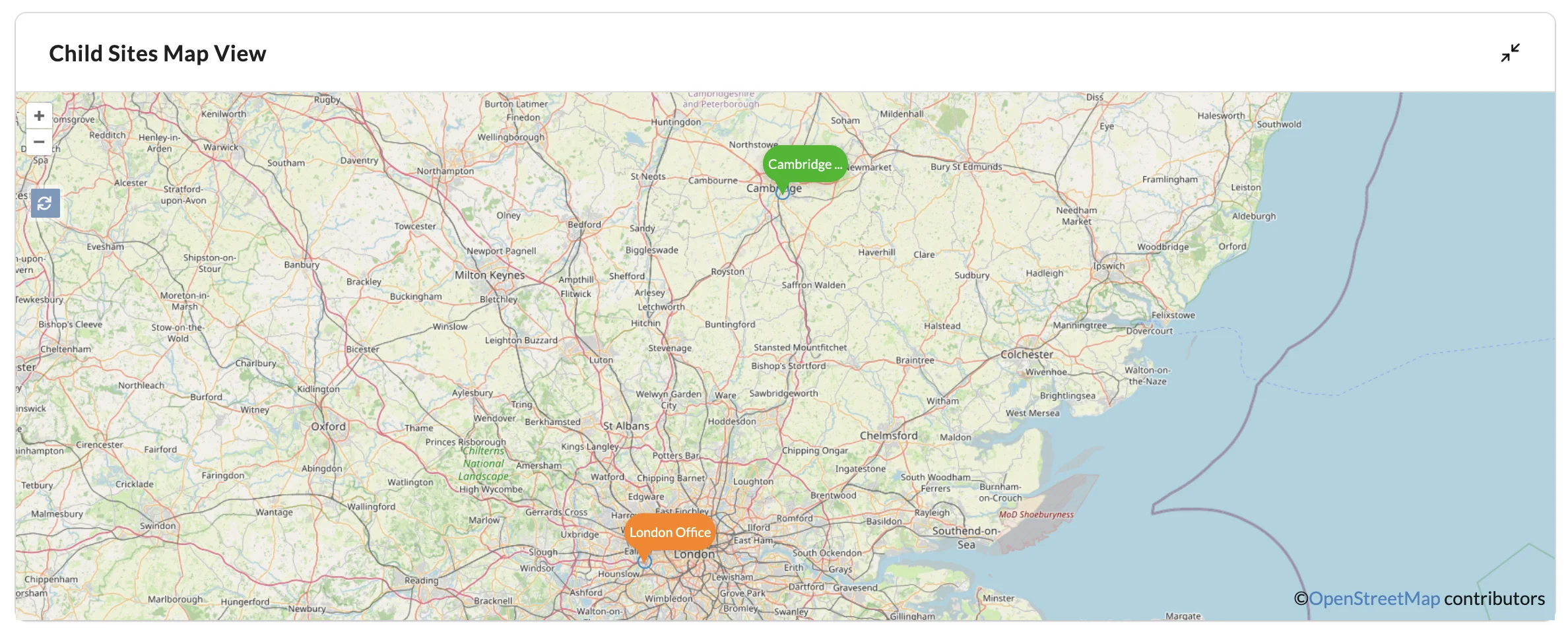
The site label will be coloured to indicate device status:
- Green - All devices in the site are online
- Amber - One or more devices in a site are offline or unassociated
- Red - All devices in a site are offline or unassociated
Settings#
Set a location for the multi-site. This location will be used for any Scheduling done in the multi-site.
Note
All Scheduling created in the multi-site will use the multi-site local time, not the target site.
Site links#
Sites can be linked from this tab.
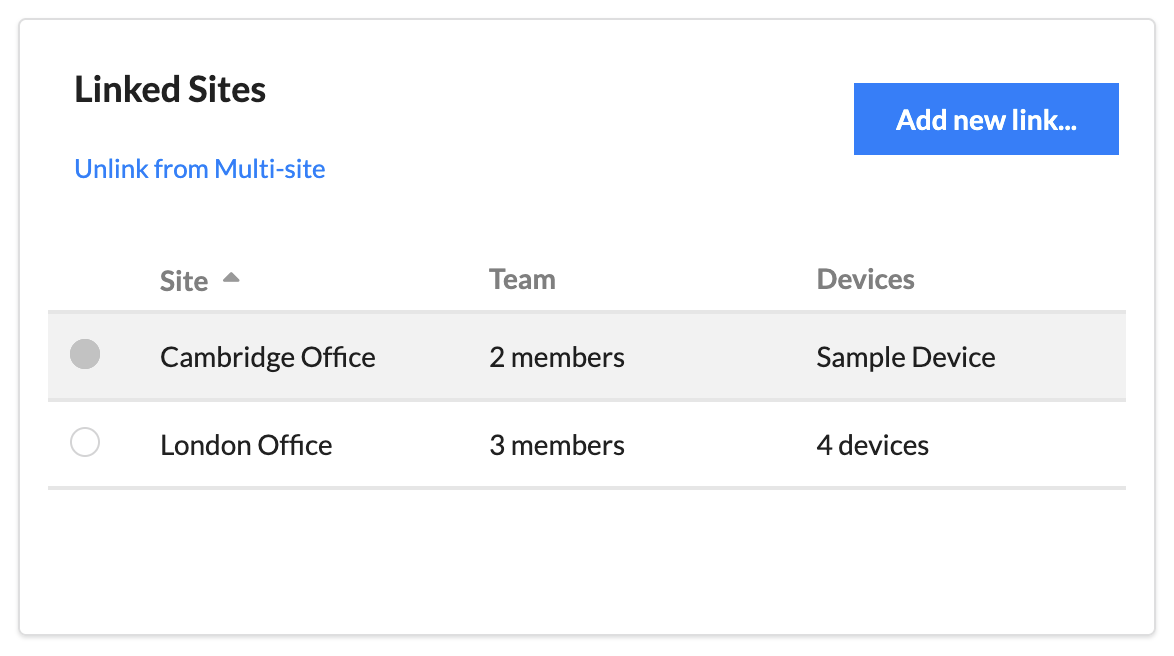
Select Add new link... to set up a link between the multi-site and a site. The current user must have the Owner permission in the multi-site and the desired linked site to create a link.
Users with those same permissions are able to unlink a site by selecting it in this table and choosing to Unlink from Multi-site from the tool bar.
A notification email will be sent to all Owners of the child site when a link is created or deleted.
Tasks#
Across the Tasks, Scheduling and Control Panel tab tasks from both the multi-site and child sites can be used.
Across these tabs, when editing behaviours, ensure you have the correct filtering applied to be able to view all applicable tasks. To edit actions which will run on child sites, the user must have permissions to edit those in the child site context. Multi-site users do not need execute permissions in child sites when firing a task in the multi-site.
Any child site with a linked multi-site will gain a new task action to enable or disable task actions being fired from a multi-site. If Disabled, any task fired from the selected multi-site will be ignored. Only users who are in both the multi-site and child site are able to create these actions.