Managing users#
Anyone who needs access to a site is invited to it by email. What they can then see and do is governed separately, by their permissions - see Permissions.
User states#
A user in a site is always in one of three states.
| State | Meaning |
|---|---|
| Active | Can access the site, according to their permissions |
| Invited | Has not yet created a Pharos Cloud account. Once they do, they can access the site according to the permissions already set for them |
| Suspended | Cannot sign in or interact with any site |
Suspension is applied across the whole of Pharos Cloud rather than per site, and only Pharos can apply or lift it. Please get in touch if you need any assistance with a suspended user.
Suspension is applied across your whole Portal. For more information on user management, see Administration.
Inviting a user#
- On the site's Users tab, select Invite User.
-
Enter the user's email address.
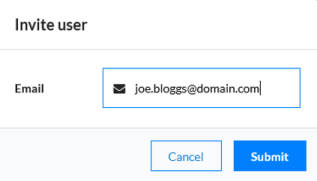
You can set the new user's permissions straight away, before they have accepted the invitation - see Permissions.
They receive an email with a link to the site. If they have no Cloud account, they are prompted to create one; if they already have one, they are simply told they have been added to a new site.
Important
Invitation links are valid for seven days. After that the link stops working and the user has to be invited again - select them on the Users tab and choose Re-Invite from the options drop down.
Removing a user#
- Select the user using the circle to the left of their name.
- Select Remove from the options drop down.
- Confirm by typing their email address.
The site disappears from that user's My Sites list. Their Cloud account survives - a user can still sign in to Cloud while belonging to no sites at all.